How to Watch FIFA World Cup 2026 in Bali with Telkomsel MAXStream
Watching FIFA World Cup 2026 in Bali is easy with Telkomsel MAXStream. BaliEasy can help you set it up. There


If you’re using an eSIM with the MyTelkomsel Basic app and want to switch the language to something more comfortable, it’s super easy! Follow these simple steps to change the language in just a few taps.
If you’re not familiar with the MyTelkomsel Basic app yet, you can read our full guide here: What is MyTelkomsel Basic App and How to Use It
1. Open the MyTelkomsel Basic App
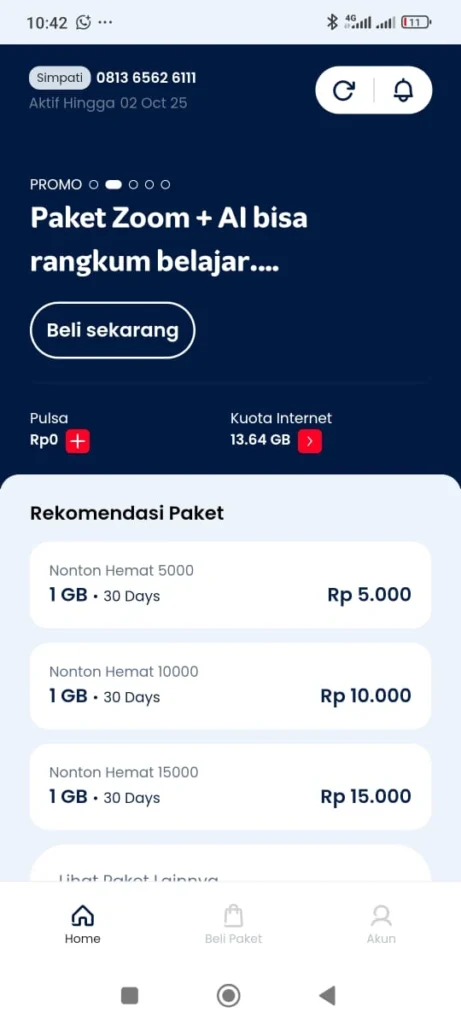
2. Tap the “Akun” Button
You’ll find this button at the bottom right corner of the home screen. It will take you to the main menu.
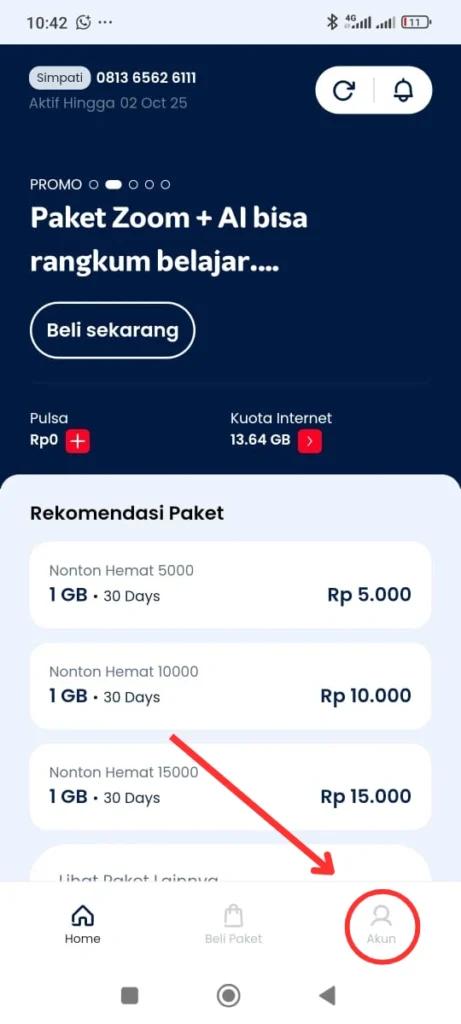
3. Select “Ganti Bahasa” (Change Language)
4. Choose Your Preferred Language
Select the language you want to use, and the app will update accordingly.
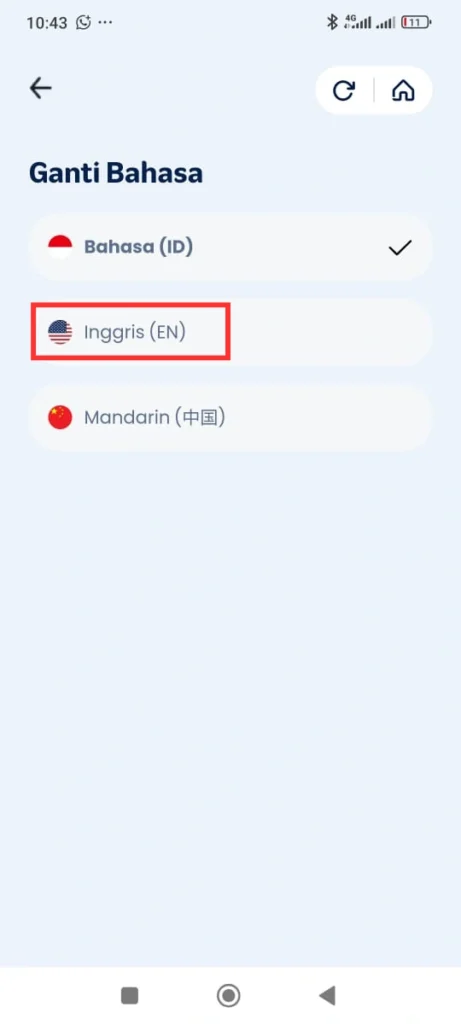
Note: This feature is available for users of the MyTelkomsel Basic version. Make sure your app is updated to the latest version for the best experience.
1. Open the MyTelkomsel App and click on your name
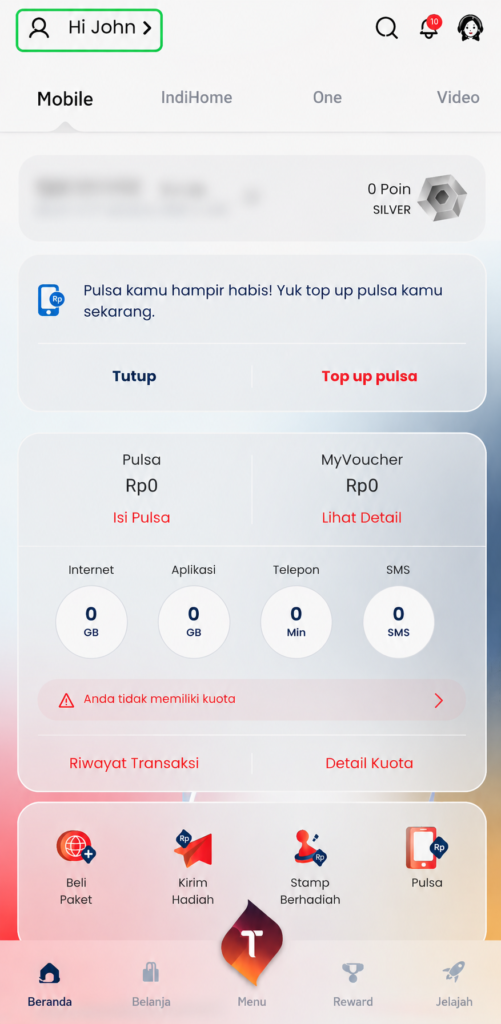
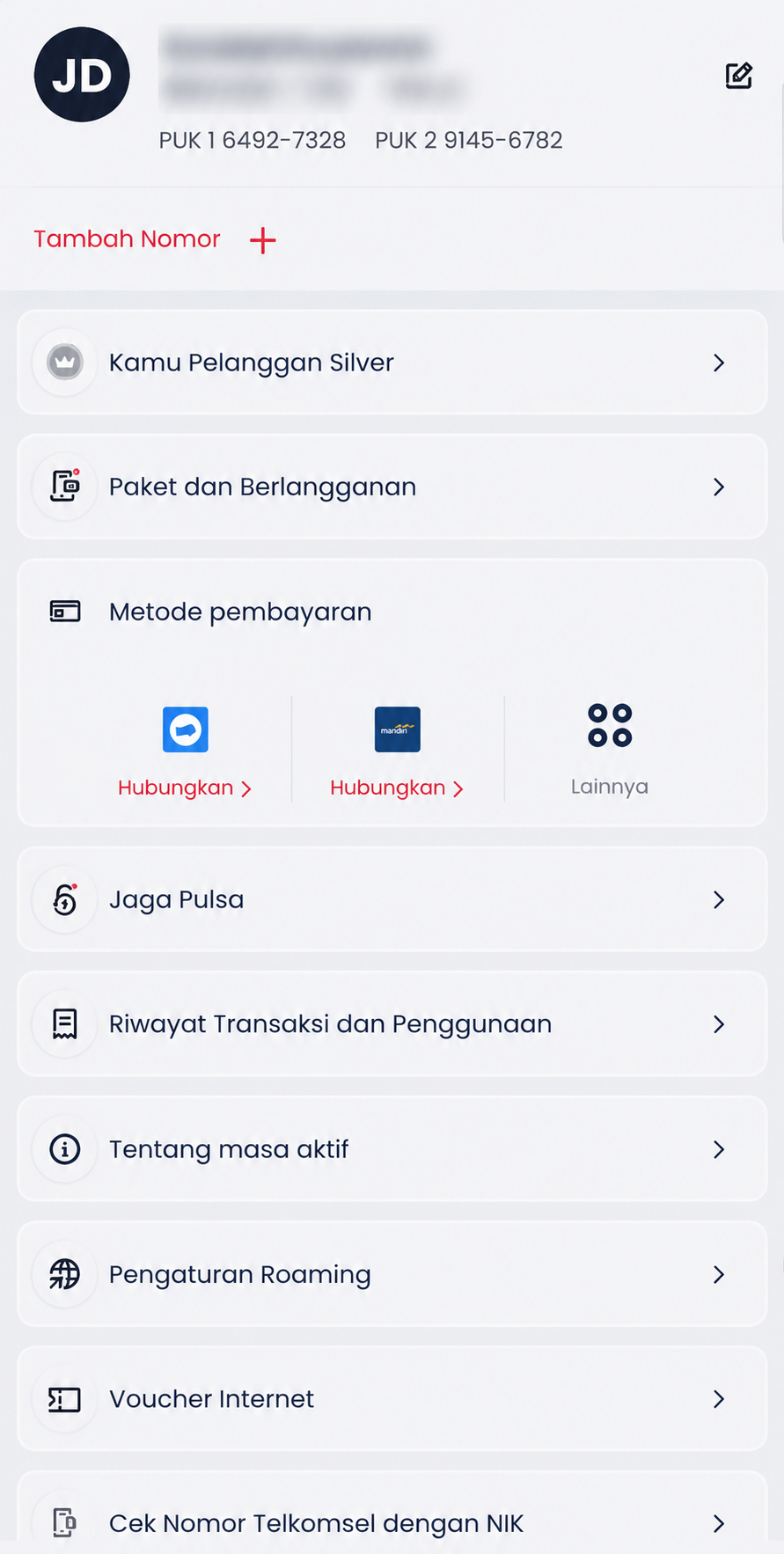
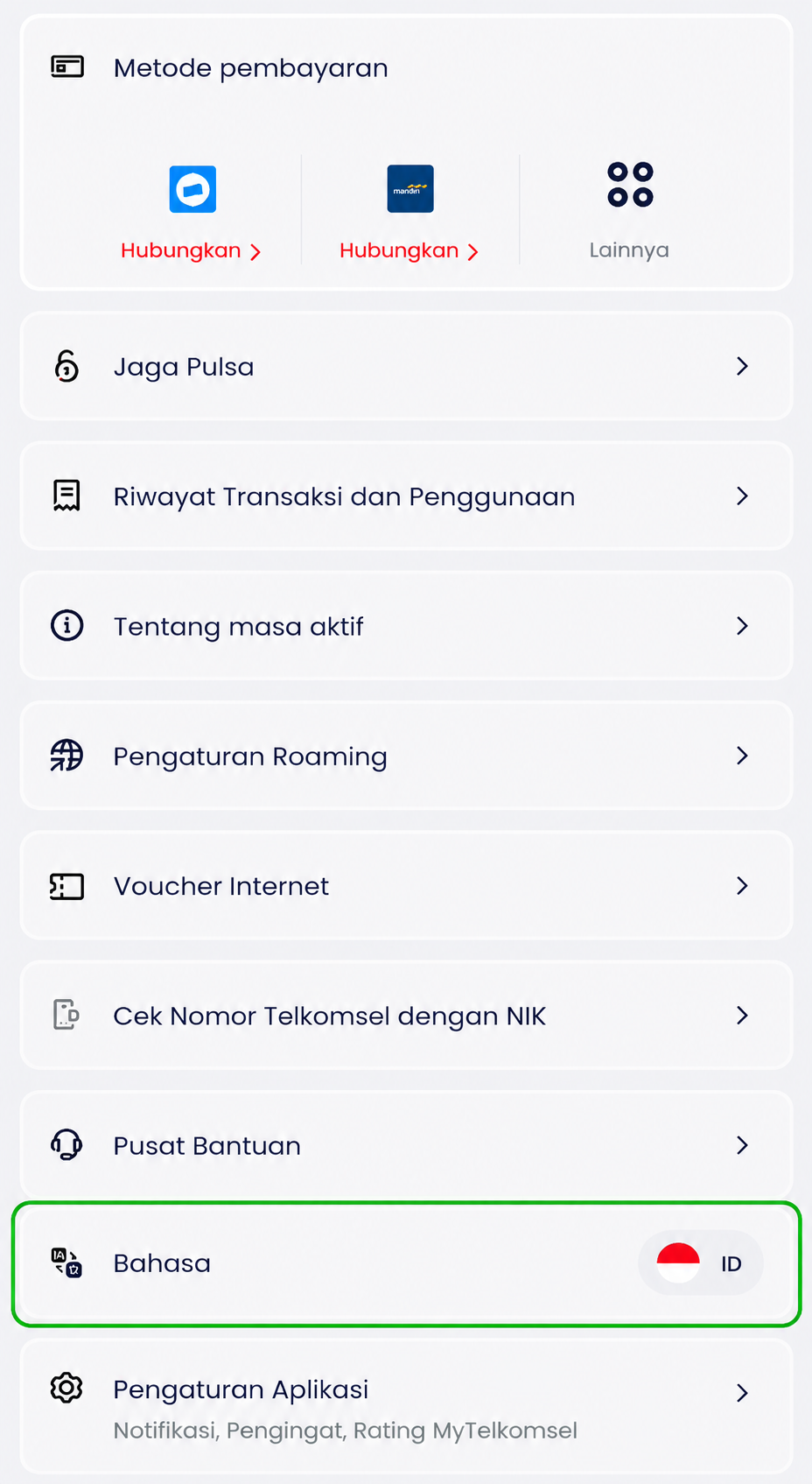
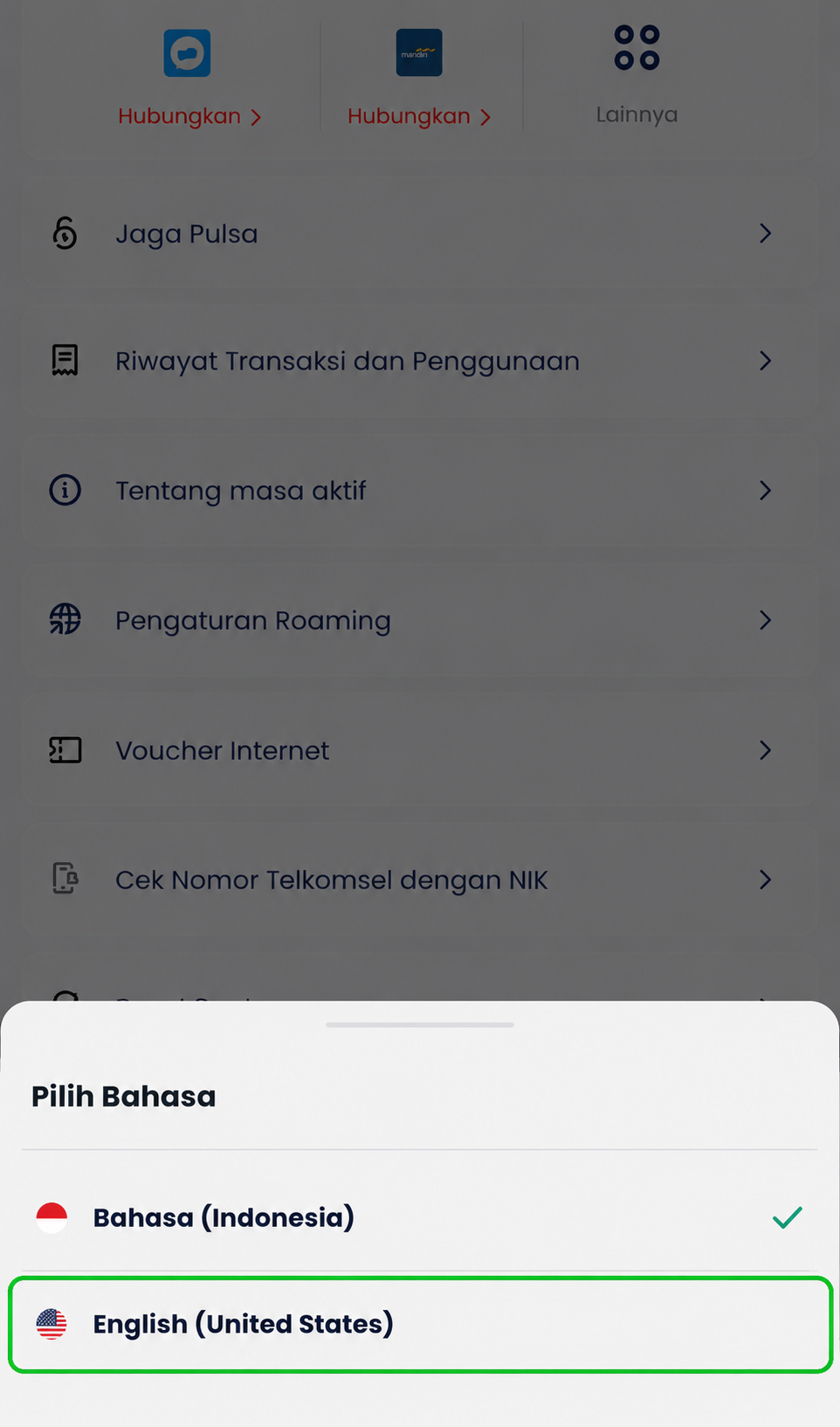
That’s it! Now you can enjoy using MyTelkomsel Basic / MyTelkomsel in your chosen language.
If you’re still getting familiar with the app or using an eSIM while traveling, you might also find these guides useful. For example, if you need to receive SMS abroad using an eSIM, we explain how it works and what settings to check here: How to Stay Connected with SMS Abroad Using Your BaliEasy eSIM
And if you’re wondering whether Telkomsel eSIM can be used to make calls in Bali, you can read the full explanation here: How to Make Local & International Calls with a Telkomsel eSIM in Bali
Watching FIFA World Cup 2026 in Bali is easy with Telkomsel MAXStream. BaliEasy can help you set it up. There
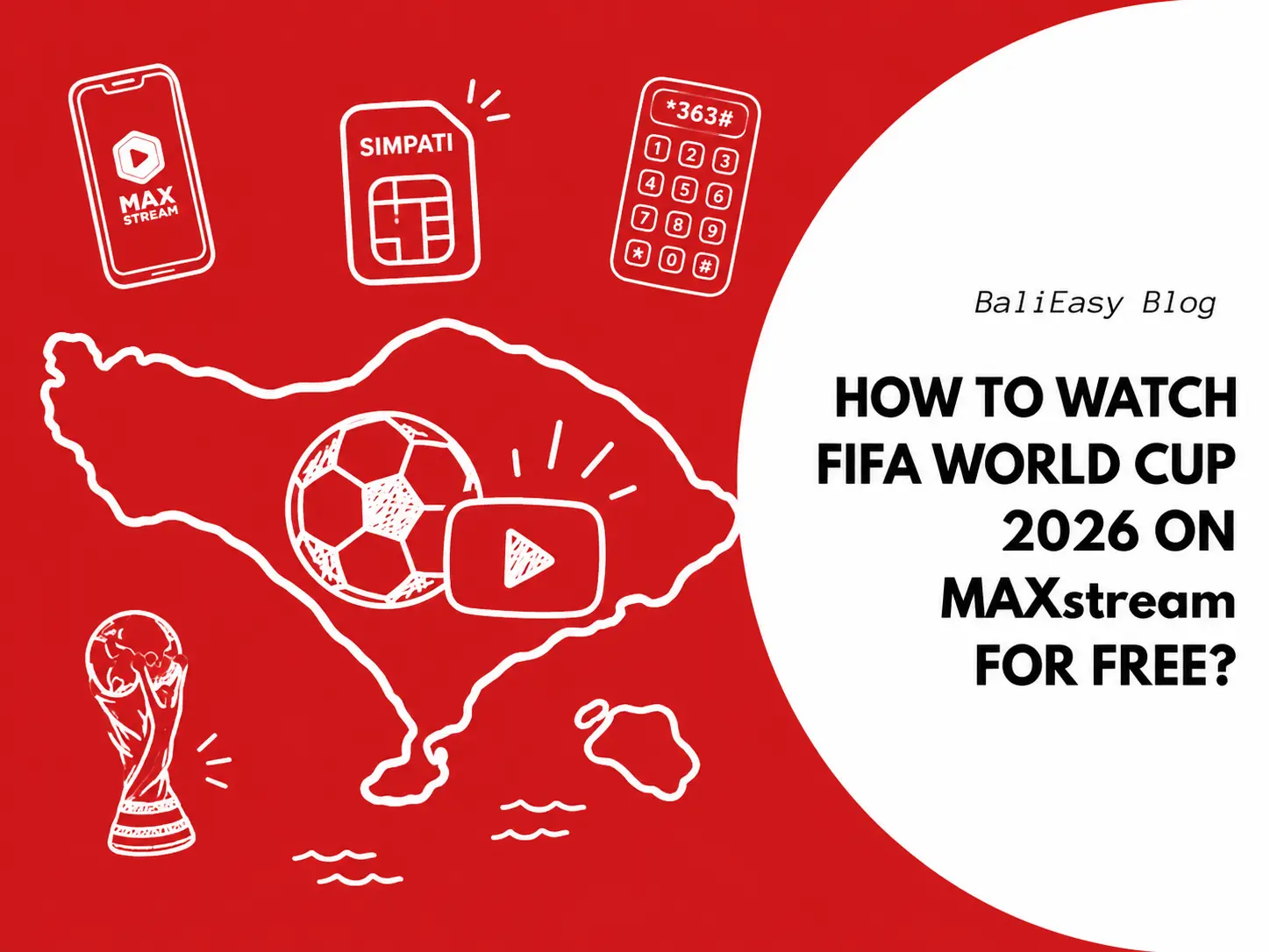
Good news for Telkomsel SIMPATI users. After registering your Telkomsel SIMPATI eSIM or SIM card, you can claim the Bola
Discount Applied Successfully!
Your savings have been added to the cart.